
How to Download Your Kindle eBook for Other eReaders
Learn how to download purchased DRM-free Kindle books as EPUB or PDF files and read them on Kobo and other non-Kindle devices.
Bought a Murmuration Press ebook on Amazon but prefer to read on a Kobo or another reading app? You may be able to download an EPUB copy of your purchase without using a Kindle.
Since 20 January 2026, Amazon has allowed verified purchasers to download EPUB and PDF versions of books that the publisher has made available without digital rights management (DRM). This guide explains how to find that option and move the book to your preferred reader.
Download your ebook from Amazon
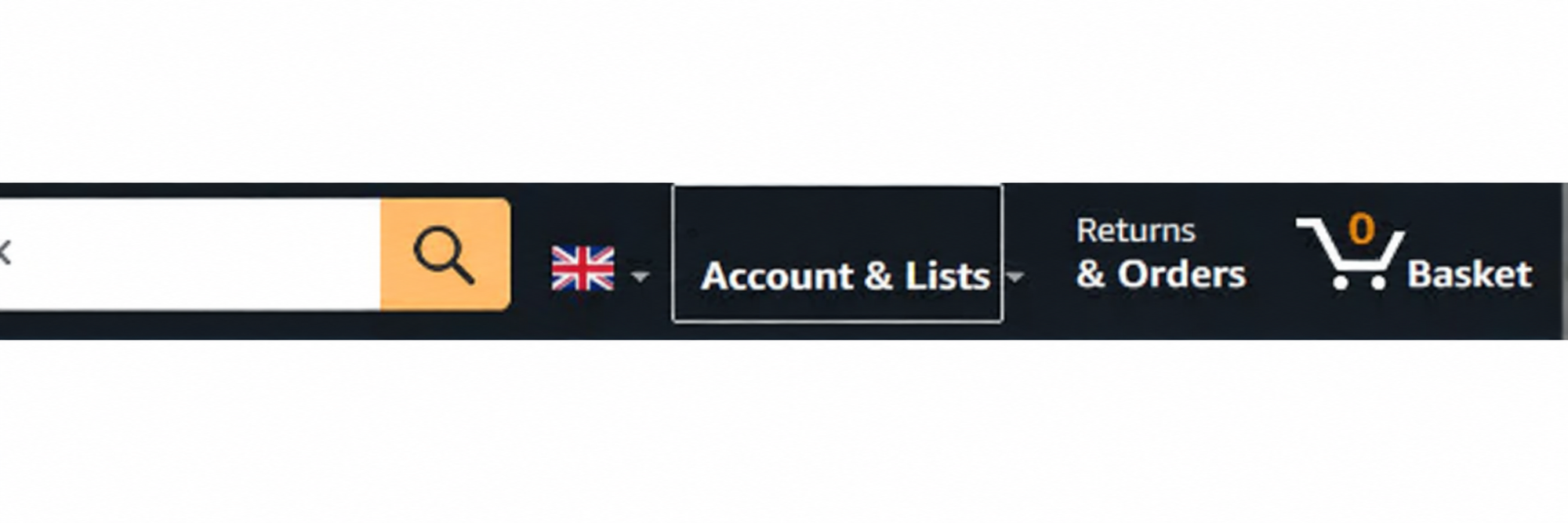
1. On a computer, sign in to the Amazon account used to buy the book. Open Accounts & Lists → Your Account.
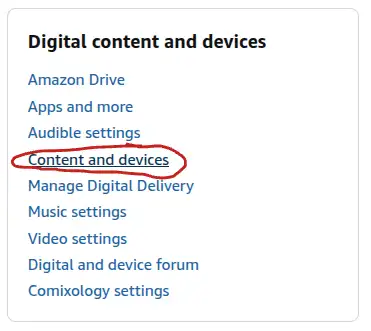
2. Under Digital content and devices, select Content and devices (sometimes labelled Manage Your Content and Devices).
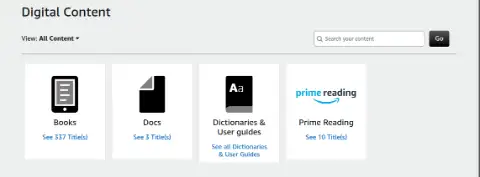
3. Open Books and search for the title you purchased.
4. Look for the note “Download available in additional formats” beneath the book. Open More actions and select Download EPUB/PDF.
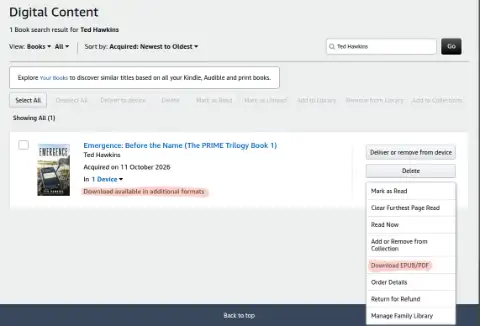
5. Save the downloaded file, normally in your Downloads folder.
Check the downloaded file
The file may have a long, unfamiliar name. Rename it to something recognisable, such as Emergence.epub, but first check what kind of file Amazon has supplied.
- If the download is already an
.epubfile, you only need to give it a shorter name if you wish. - If the download is a
.zipfile, inspect it. If it contains an actual.epubfile, extract that EPUB. If it is itself an EPUB packaged with a.zipextension, changing the extension to.epubcan work. Do not simply rename an unrelated ZIP archive. - If you selected PDF, keep the
.pdfextension.
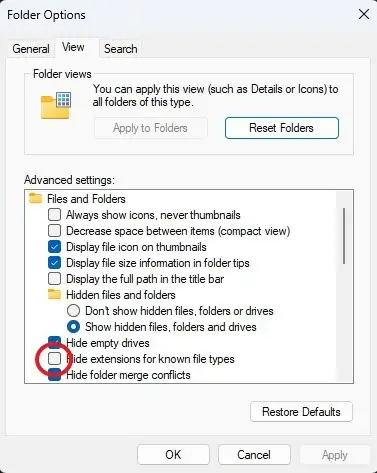
Windows users: If you cannot see filename extensions, open File Explorer and enable View → Show → File name extensions. Depending on your Windows version, you may instead need Options → View and untick Hide extensions for known file types.
Read it on another device
EPUB is widely supported by ebook apps and readers. The transfer method varies by device:
- Kobo: Import the EPUB into the Kobo app where supported, or transfer it to a compatible Kobo eReader from your computer. Some Kobo models also support cloud-based transfers.
- Phone or tablet: Save the EPUB to Files or your cloud storage, then use the import/open option in an EPUB-compatible reading app.
- Computer: Open the file in an EPUB-capable application, such as Calibre, or use its library/import feature.
A reader who tested these instructions successfully moved a purchased copy of EMERGENCE to a non-Kindle reading app. Reader menus vary, so consult your device's help pages if the import option differs.
If the download option is missing
Amazon only provides EPUB/PDF downloads for verified purchases of books confirmed as DRM-free. Books borrowed through Kindle Unlimited do not qualify for these downloads. Ensure you are signed into the account that purchased the book. If the option is absent, the publisher's DRM setting or Amazon's account interface may be the reason.
For the latest policy, see Amazon KDP's explanation of DRM-free EPUB/PDF downloads.
With thanks to a Murmuration Press reader who worked through the process and supplied the original screenshots and instructions.